Case study
Self-Service Ticketing
Empowering users to report and track issues without relying on helpdesk escalation
Overview
About
Verizon Wireless Business did not have a self-serve solution for its customer to report issues. Overcoming the technical constraints on integration with existing Verizon internal representative system, I designed a self-serve portal that allow customers to report problems and track trouble tickets easily and efficiently.
My Role
- Led UX strategy and design
- Ran iterative prototyping
- Collaborated with product owner and business analyst to understand customer needs and project requirements
- Worked with developers to understand technical limitations
Project Process
The Problem
Context
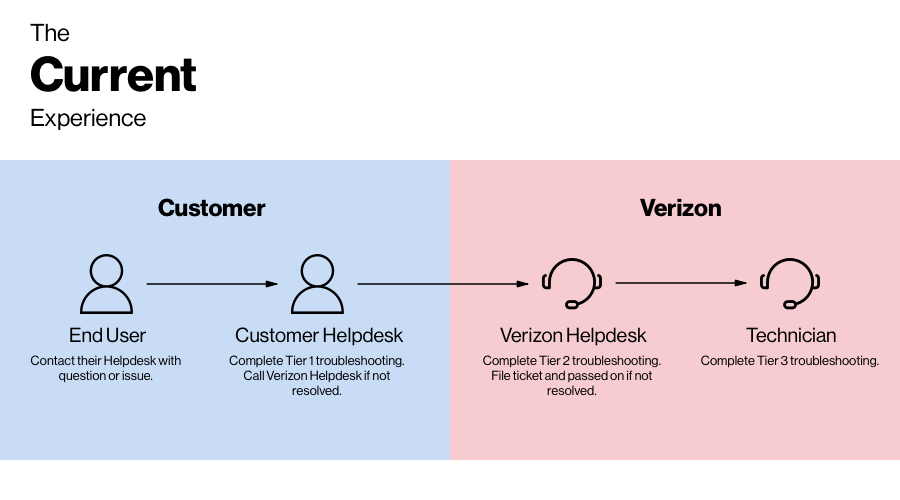
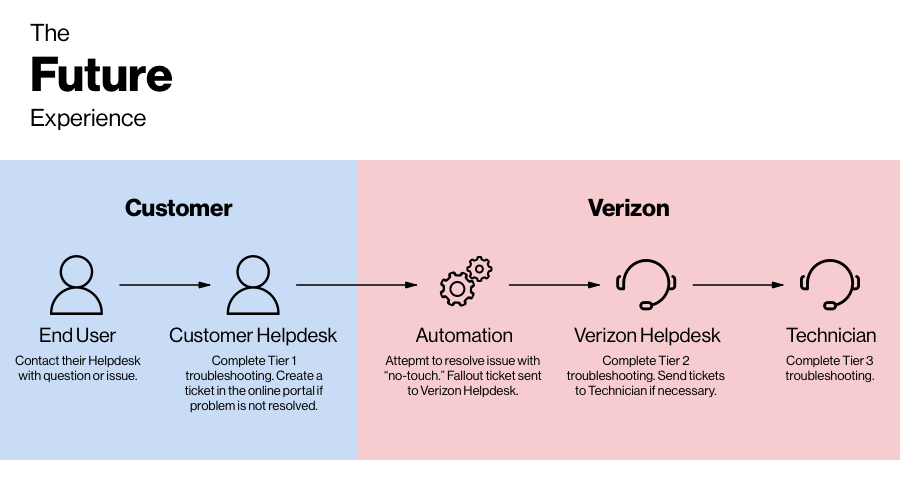
Verizon Wireless Business did not have a self-serve solution for its My Business, Unified Portal, and VEC Portal customer to report issues. When encountering an issue, end user would contact his company's helpdesk with the problem. If the issue cannot be resolved, customer's company helpdesk will have to call the Verizon Helpdesk to file a trouble ticket. Depending on the complexity of a particular issue, a trouble ticket may be resolved by the Tier 2 Verizon Helpdesk, or passed on to Tier 3 Technician for support. This experience was time consuming and nontransparent to the customer. Furthermore, this model required high labor input and it was not cost-effective.
To increase accessibility and create efficiency, this project aimed to initiate automation process. By providing a customer facing portal, it allows the customer to report and track trouble tickets online. Furthermore, it creates the opportunity for Verizon to resolve low-touch and no-touch issues automatically.
Understanding the Current Ecosystem
Before the project kick-started, I worked closely with the business analyst and project owner to understand the high level requirements, user journey and the expectations.
Integrate with existing Customer Support system
There is an existing internal representative portal. Thus one main goal of this project is to integrate with existing system and provide end-to-end visibility of the tickets to both the internal users and customers.
Initiate automation process
As mentioned earlier, the ultimate goal of this project is to expand the portal to include self-diagnostics and automated troubleshooting functions. Even though this is not part of the MVP, it is crucial in the current phase we build a fundation for it.
Problem type structure
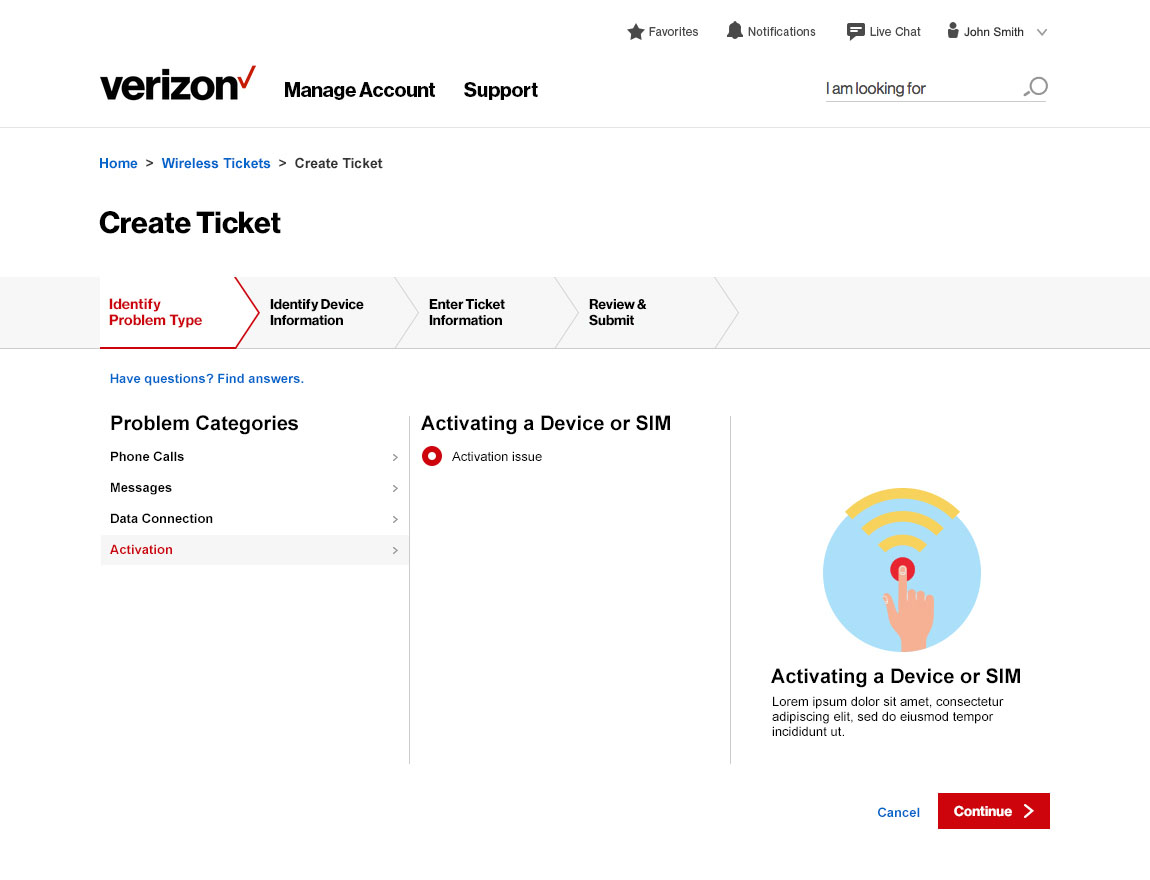
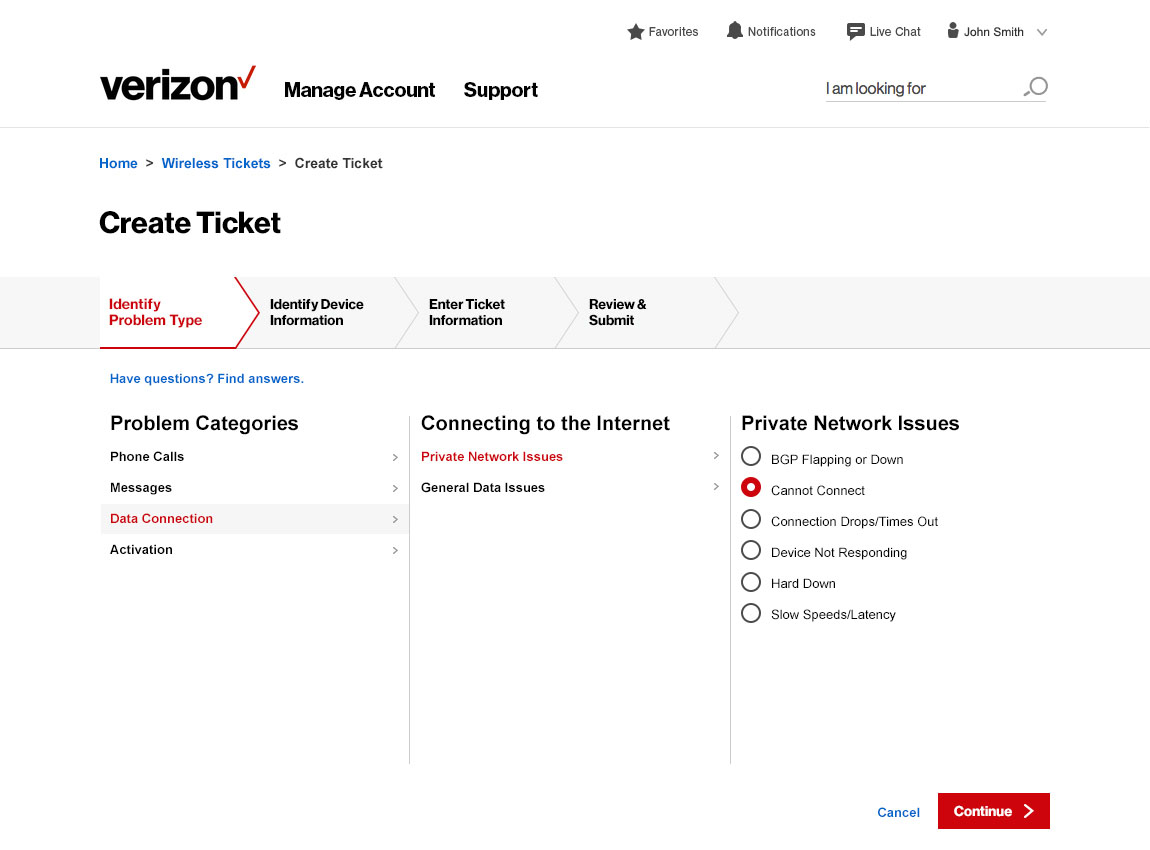
The problem type can be nested. We hierarchized a problem into Problem Category, Subcategory, and problem type. Depending on the complexity of the problem, a problem may or may not have a subcategory. Thus the design should accomodate for both scenarios.
UX Strategy & Approach
Information Architecture
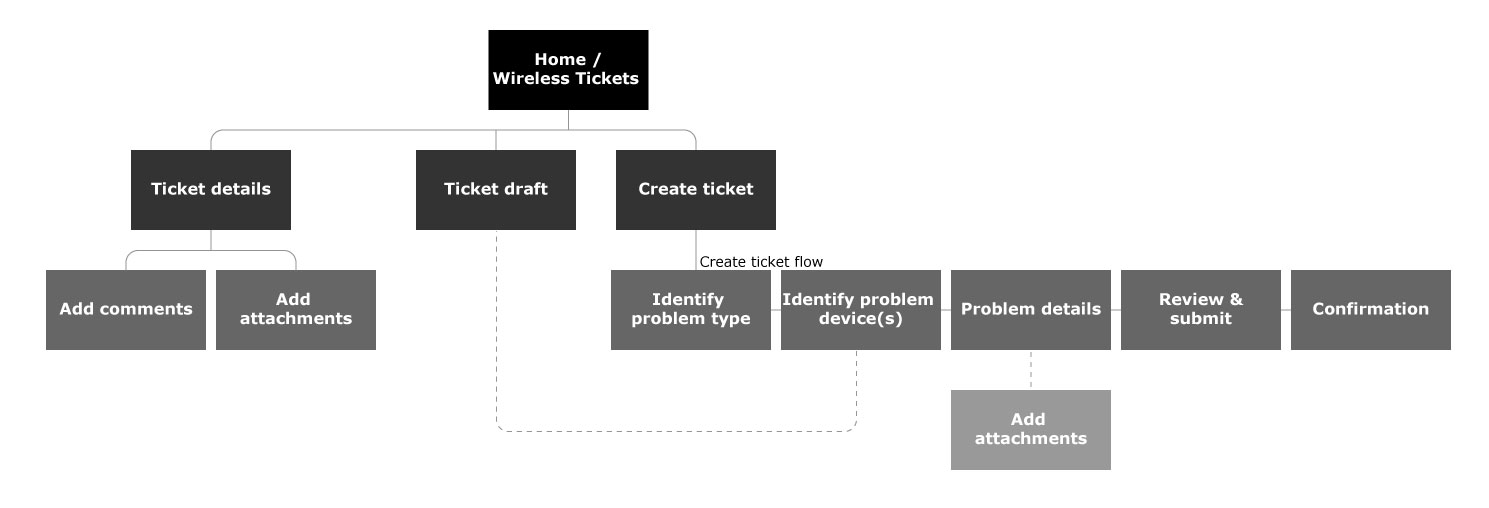
After the initial research and discovery, I used sitemap to visualize how the customers would navigate the portal and what content the customers would need to support them. The Trouble Ticket portal is consist of three main pages:
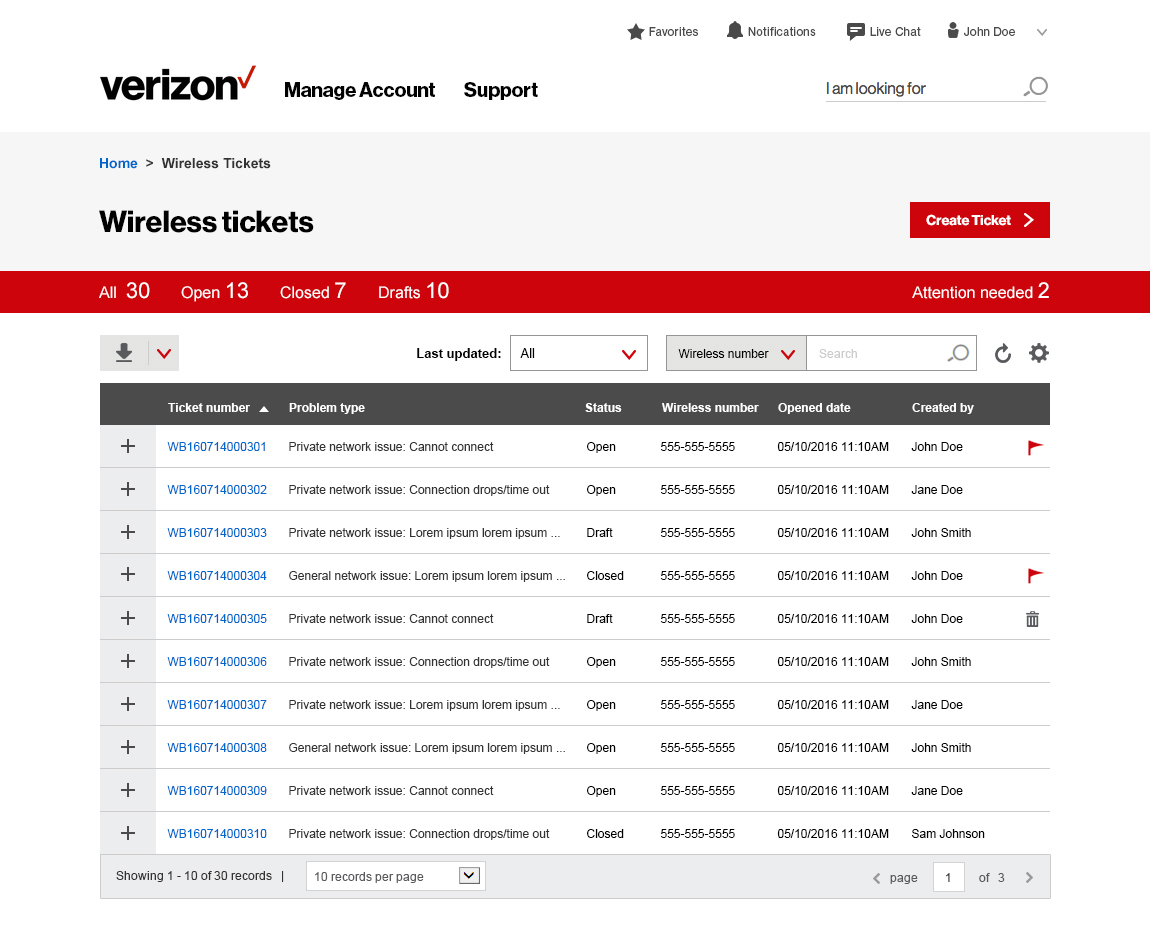
- Wireless Tickets page: The landing page would list all the tickets associated with the customer's company.
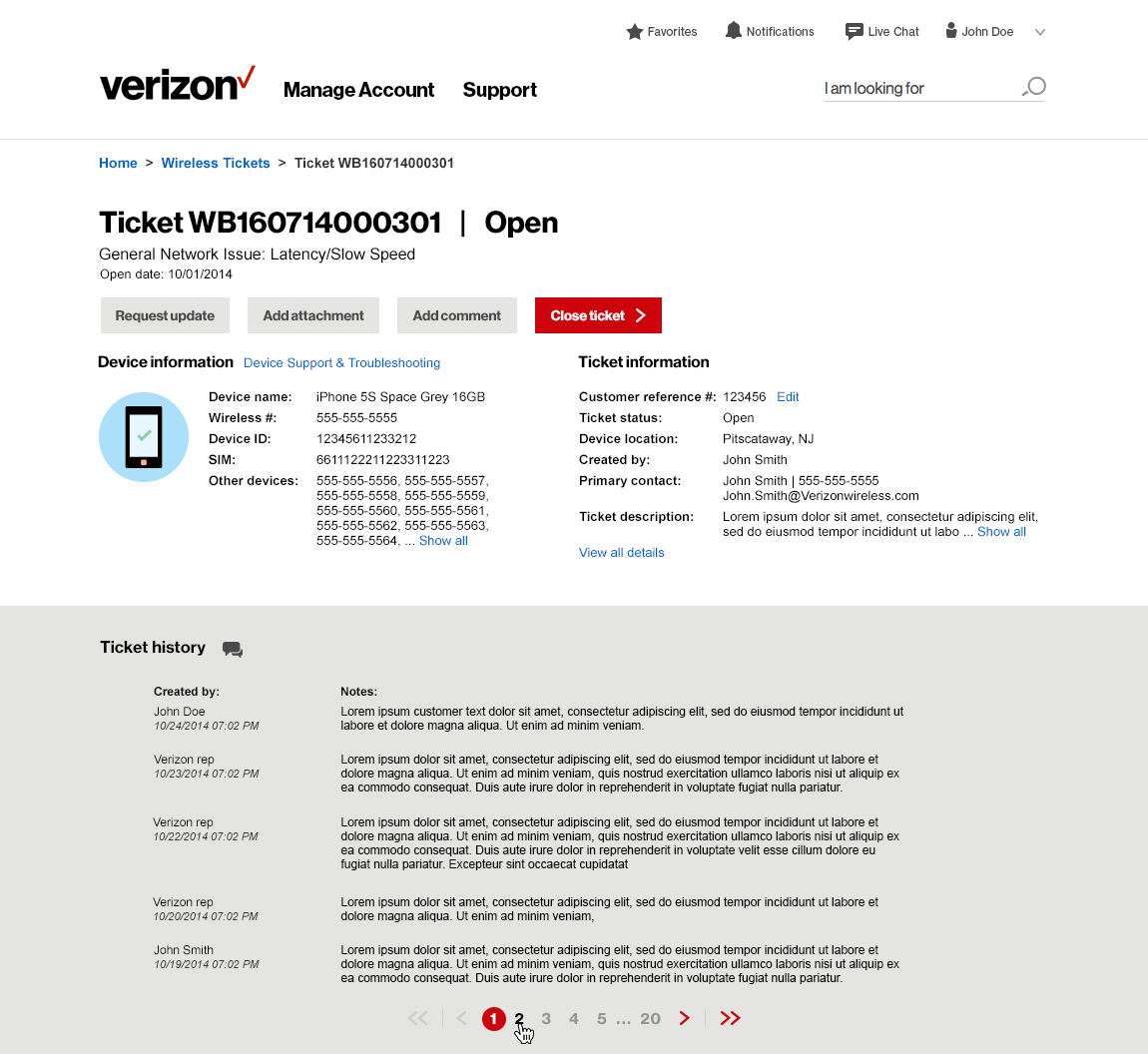
- Ticket Details page: The customer could view the details of the ticket, including the Verizon Representative's activity log.
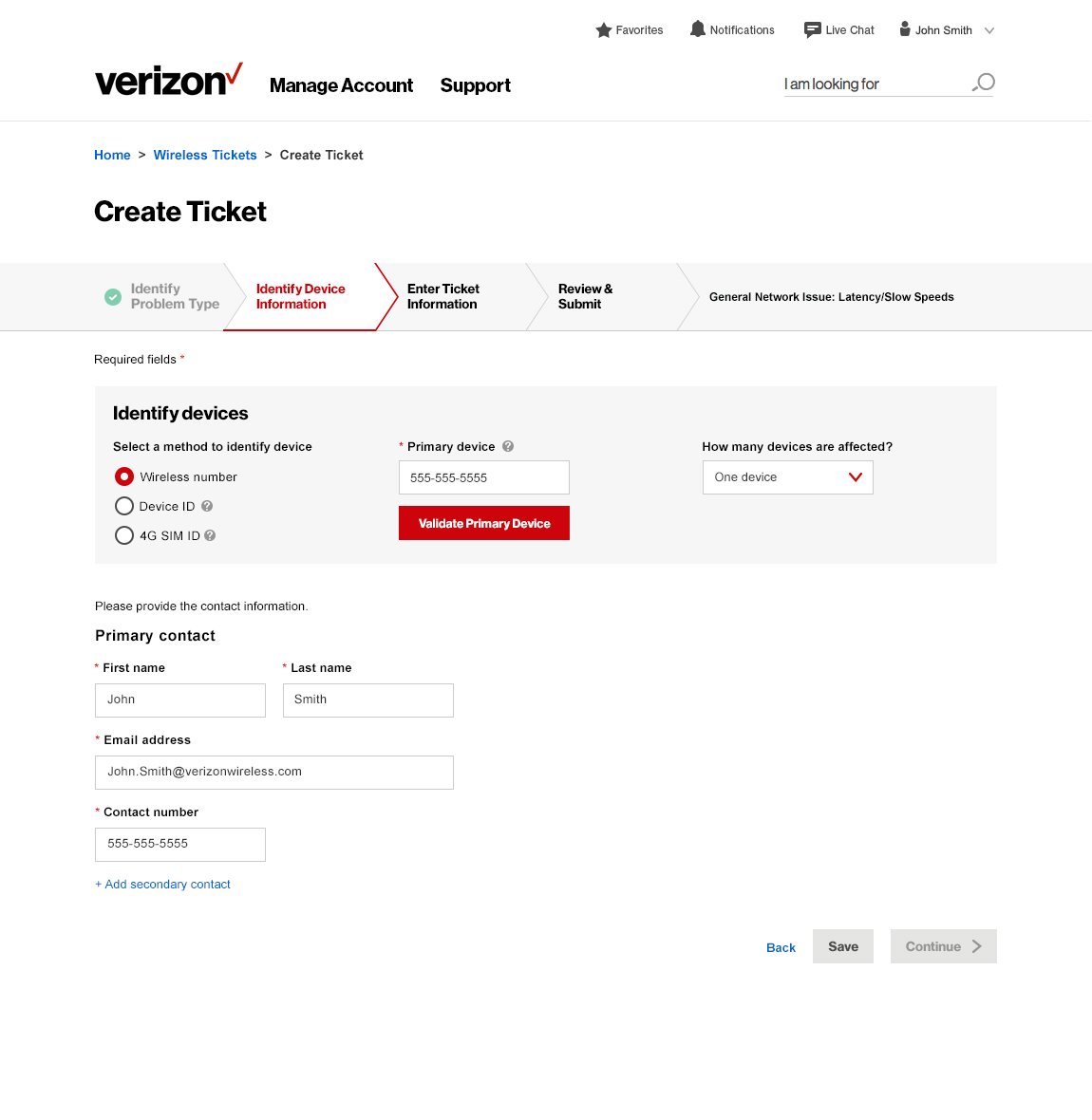
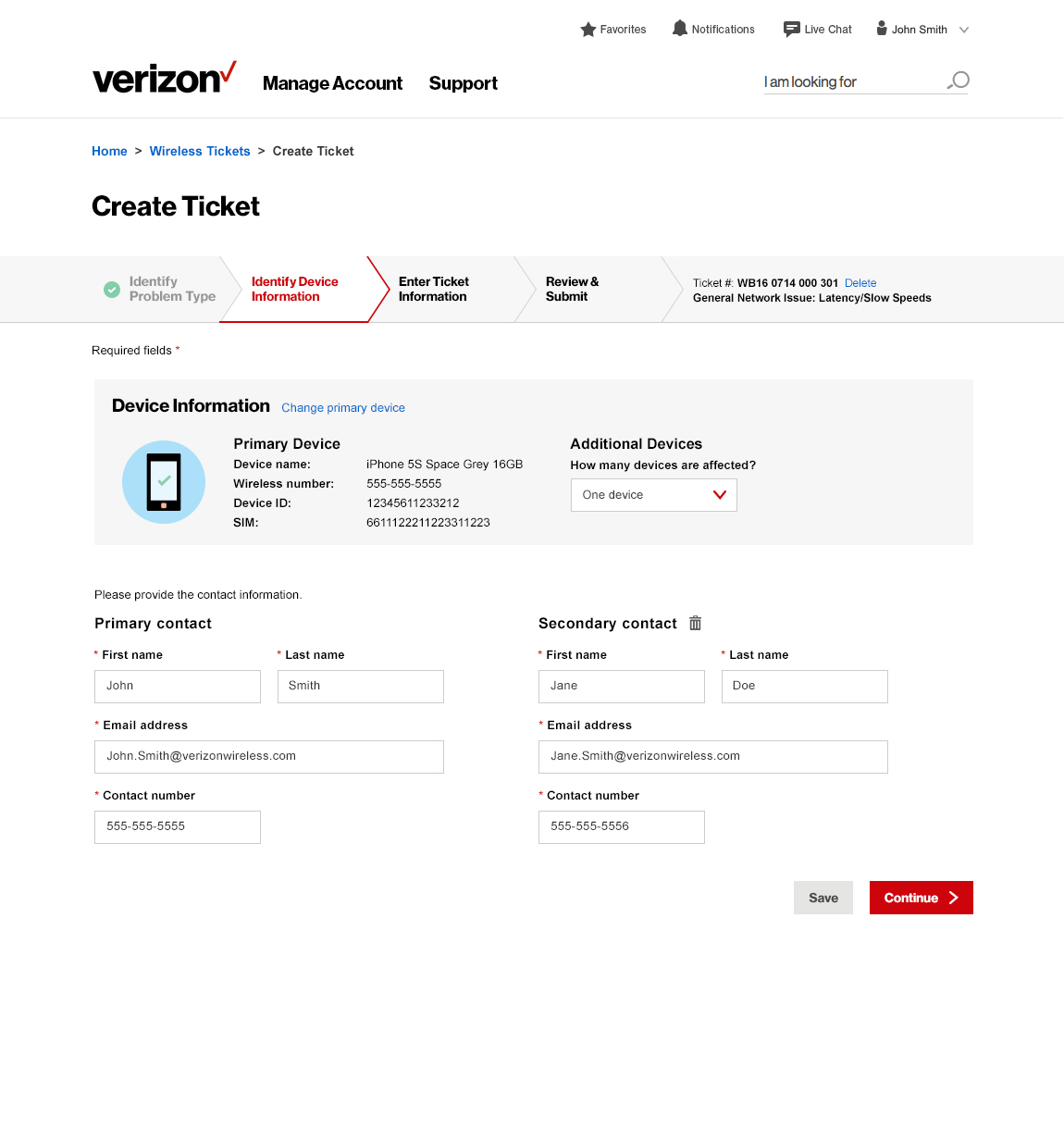
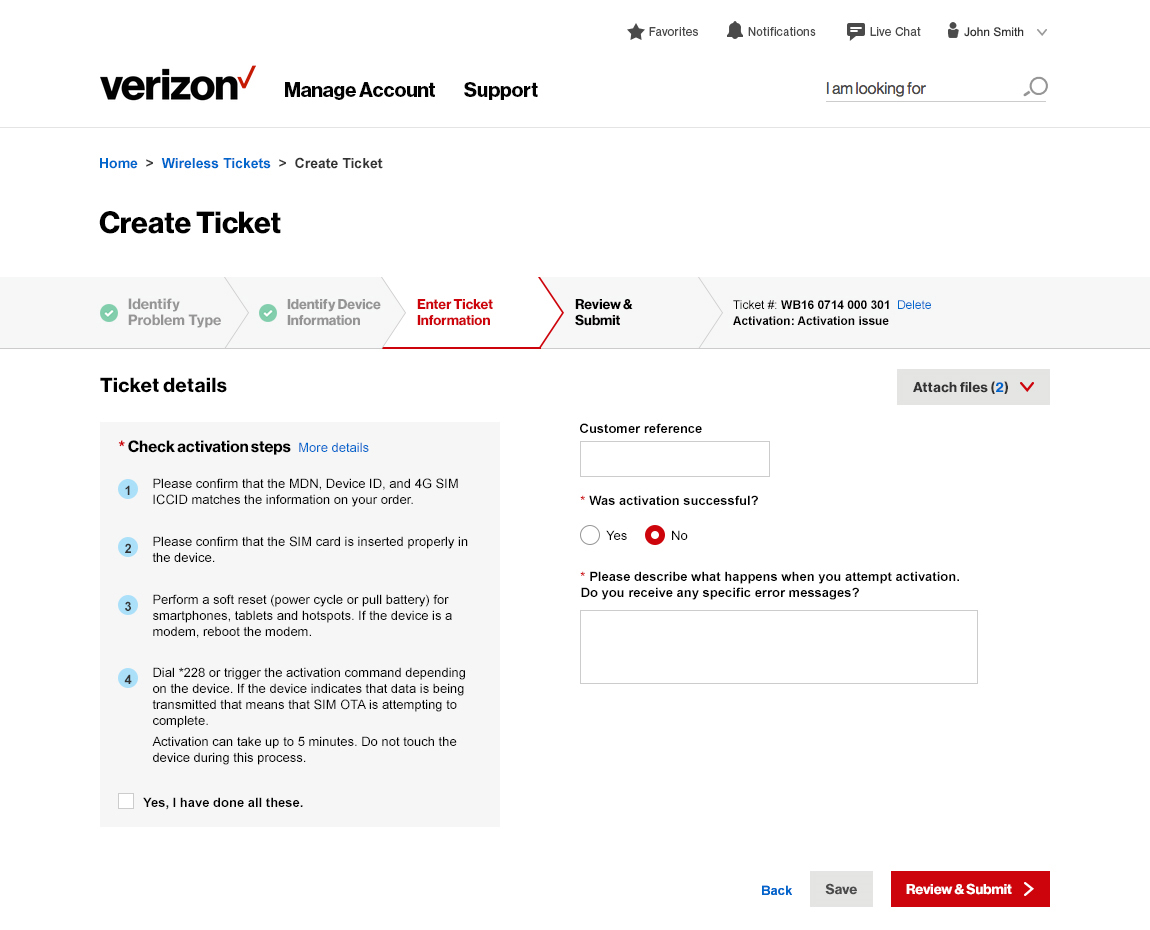
- Create Ticket page: The customer would fill out a list of questionnaires in the Create Ticket page to report a problem. Depending on the type of problem it is, the questionnaires should change dynamically to help the Verizon Representative gather meaningful information. Thus the Create Ticket page should be a step-by-step process.
The sitemap provides the initial definition for what the delivering along with the first steps of defining the interface.
Ideation & Iteration
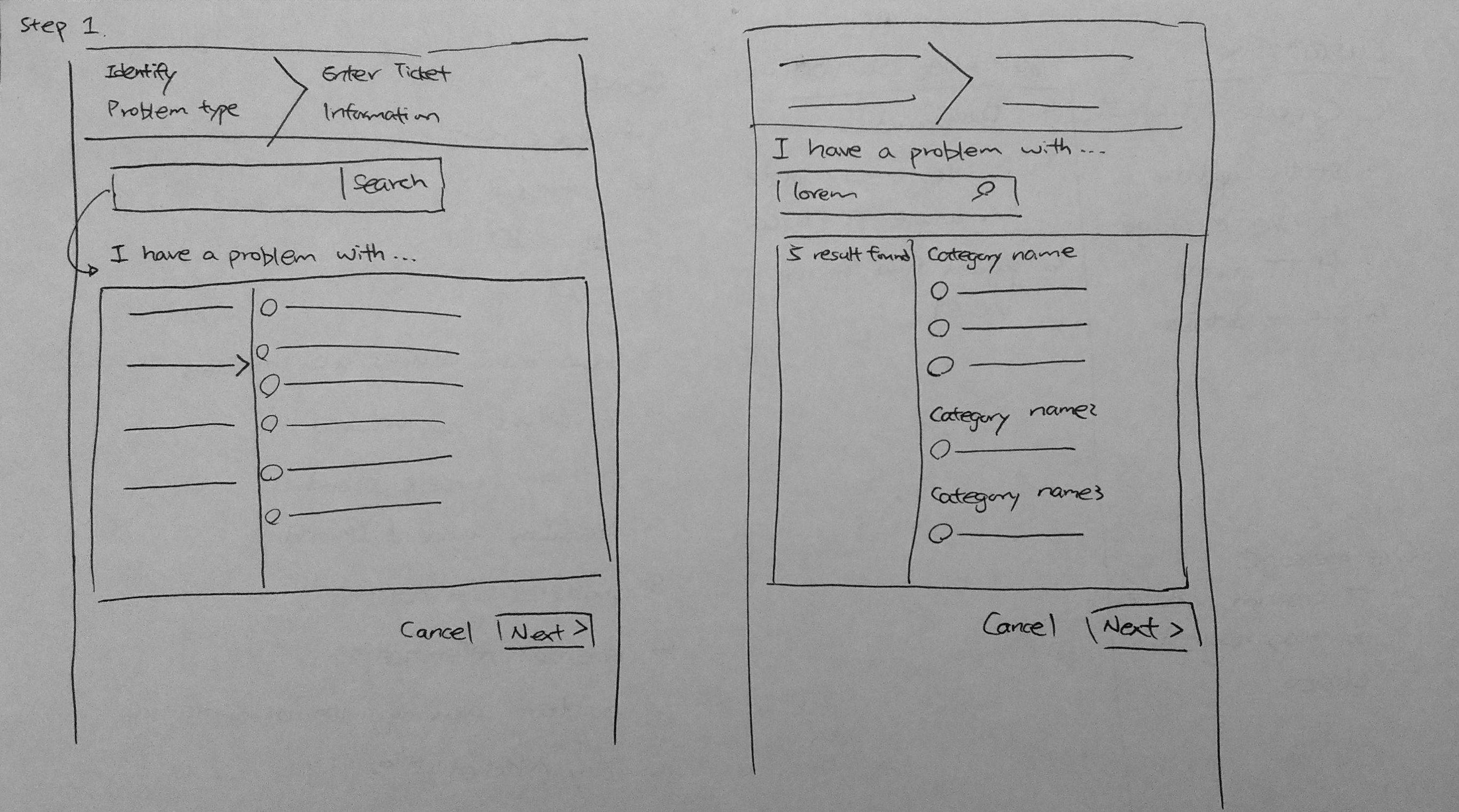
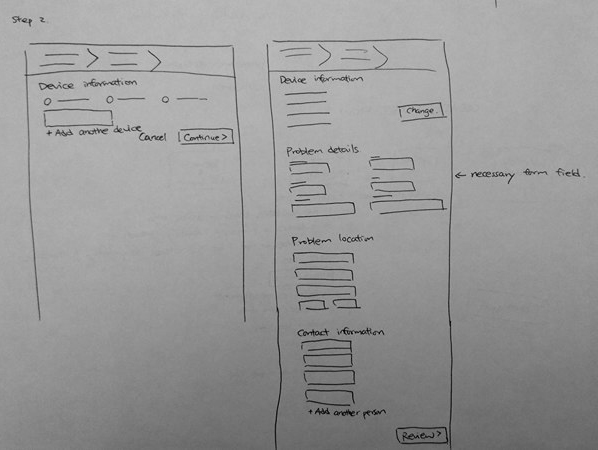
Once we've settled on the sitemap, I started the iteration through sketching. My attention was highly focused on the Create Ticket page because it is the key initiate action that the customer will take.
Initially I was provided with two sets of trouble ticket questionnaires for reference. I noticed that the problem type can be nested; some may have two layers while some other have three. I hierarchized a problem into Problem Category, Subcategory, and Problem type. Depending on the complexity of the problem, a problem may or may not have a Subcategory. I explored multiple solutions to accomodate this, and finally decided to move forward with navigation menu style approach.
Result
Design Solution
The gallery below shows some of the high-fidelity wireframes in MVP.