
Case study
Tax E-File Status
A Unified Service for CSR Efficiency & Filing Clarity
Overview
About
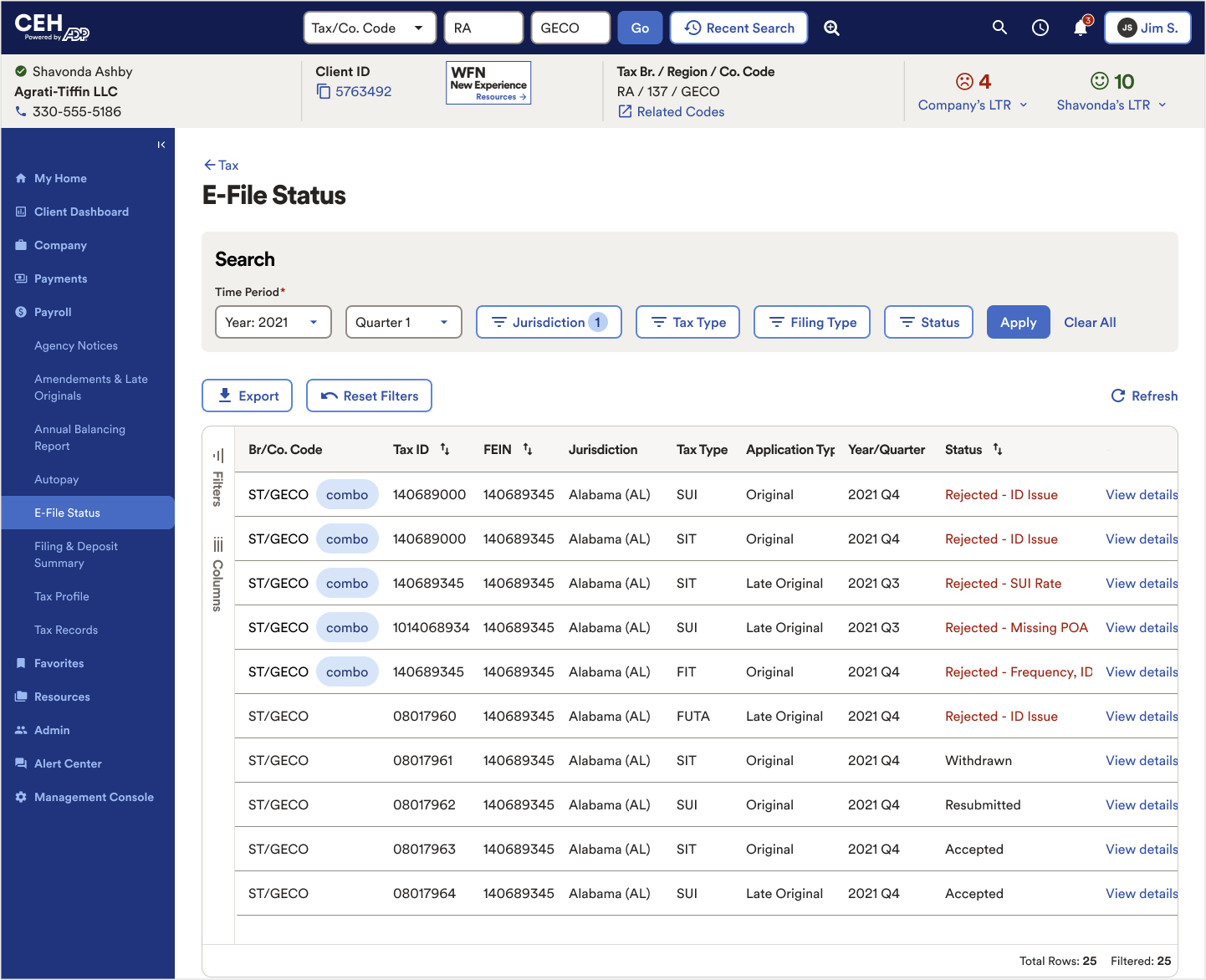
E-file rejections occur when tax agencies reject a client’s filing, often leading to delays, fines, and frustrated clients. CSRs previously had to search across four systems to diagnose issues and guide resolutions. The goal of this feature was to centralize rejects into one CRM view, streamline workflows, and equip CSRs with clear instructions so they could resolve issues faster and improve client confidence.
My Role
- Led UX strategy and design
- Workflow mapping
- Ran iterative prototyping
- Stakeholder facilitation
- Collaborated with product, engineering, and business and technical stakeholders
Project Process
The Problem
Context
CSRs grappled with four distinct systems, scattered screens, and scattered instructions to resolve E-file rejects — leading to wasted time and miscommunication.
Challenge

How might we build a centralized service that clarifies errors, unifies workflows, and aligns disparate teams — all while keeping within technical feasibility?
Understanding the Current Ecosystem
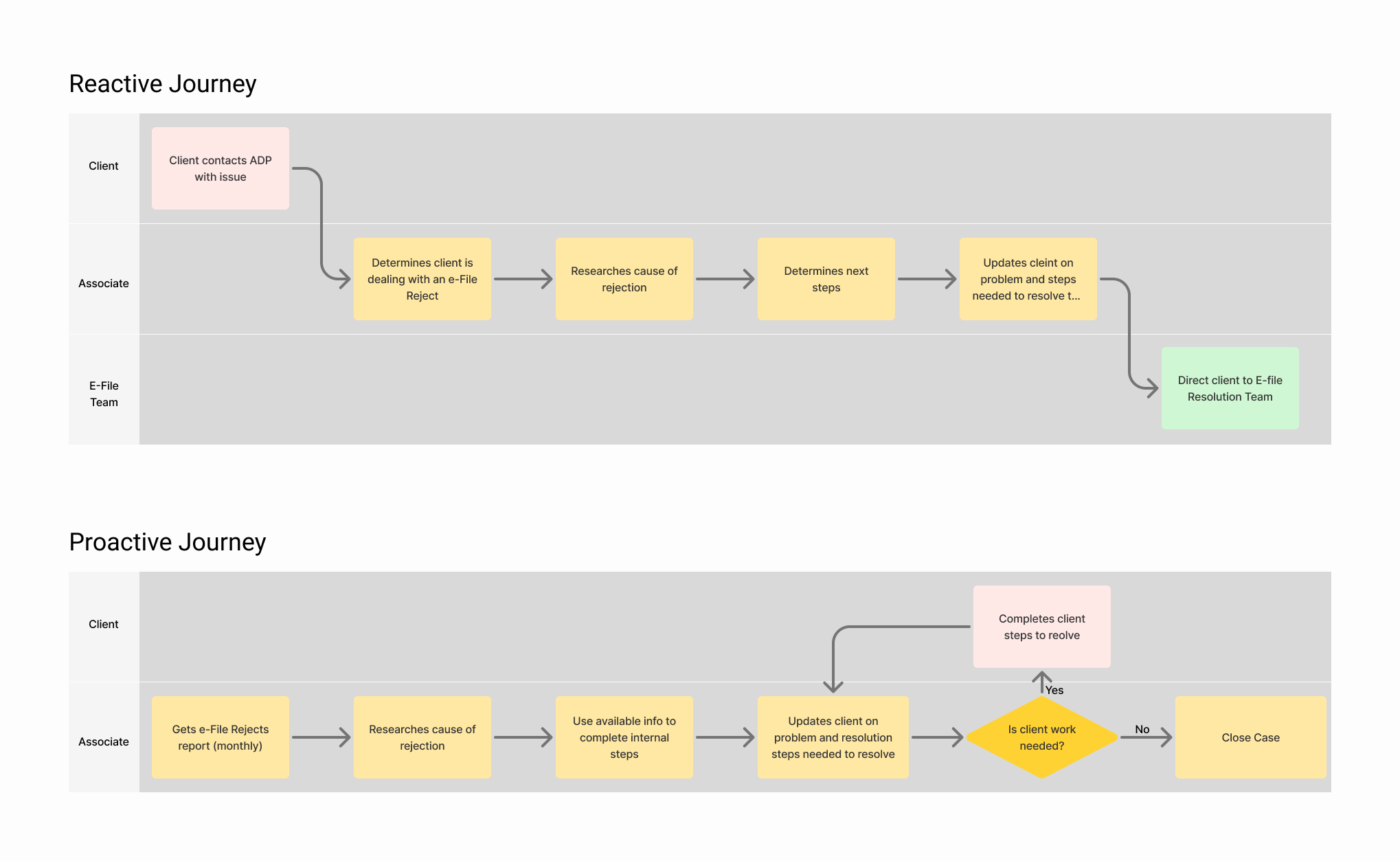
The project began with discovery sessions led by our UX researcher, who conducted interviews and journey mapping across multiple business units. These conversations revealed two distinct types of associates: proactive roles and reactive roles.
Reactive Role
Associates need to determine that the client they're working with has an E-file Reject issue, do their best to inform the client of the next steps, and direct the client to the dedicated E-file Reject team.
Proactive Role
Associates receive monthly reports listing their clients' rejected filings and work with the client until the issue is resolved.
Both groups faced similar frustrations: fragmented tools, confusing error codes, and little visibility into the status of ongoing issues. This early research highlighted not only the need for a unified tool, but also the importance of clarifying roles and responsibilities within the service ecosystem.
UX Strategy & Approach
Workflow Mapping & Alignment
To create a shared understanding across teams, I developed a detailed swimlane diagram that mapped every touchpoint in the E-file reject resolution process. The diagram clarified which team — Tax Ops, CSRs, the SoR, or the SmartCompliance product team — owned each step, helping to eliminate ambiguity.
This artifact became central in workshops and alignment sessions, as it gave all stakeholders a common reference point for understanding how the process worked end-to-end and where inefficiencies existed.
Ideation & Iteration
With the workflows established, I facilitated design workshops with product owners, developers, and business partners. To spark discussions, I created low-fidelity wireframes that explored different approaches to centralizing E-file rejects in CRM. These early prototypes helped the team align on requirements and prioritize features.
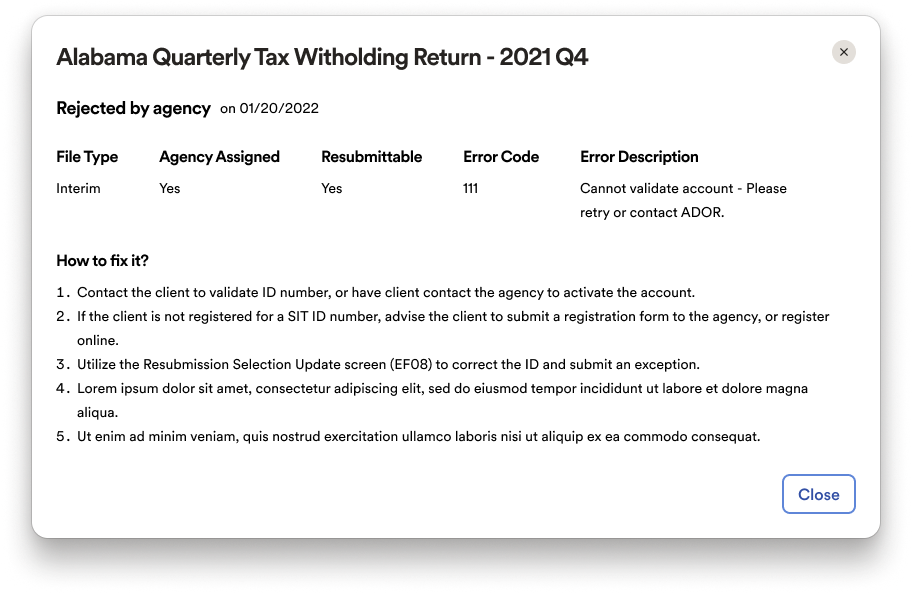
The first iteration focused on a single-screen view where CSRs could see rejected filings, understand the associated error codes, and access resolution steps. During stakeholder reviews, we uncovered the need for greater visibility into repeat rejections. In response, I designed a timeline feature that displayed the full history of submissions, rejections, and resubmissions, giving CSRs much-needed context to guide client conversations.
Balancing Feasibility with Vision
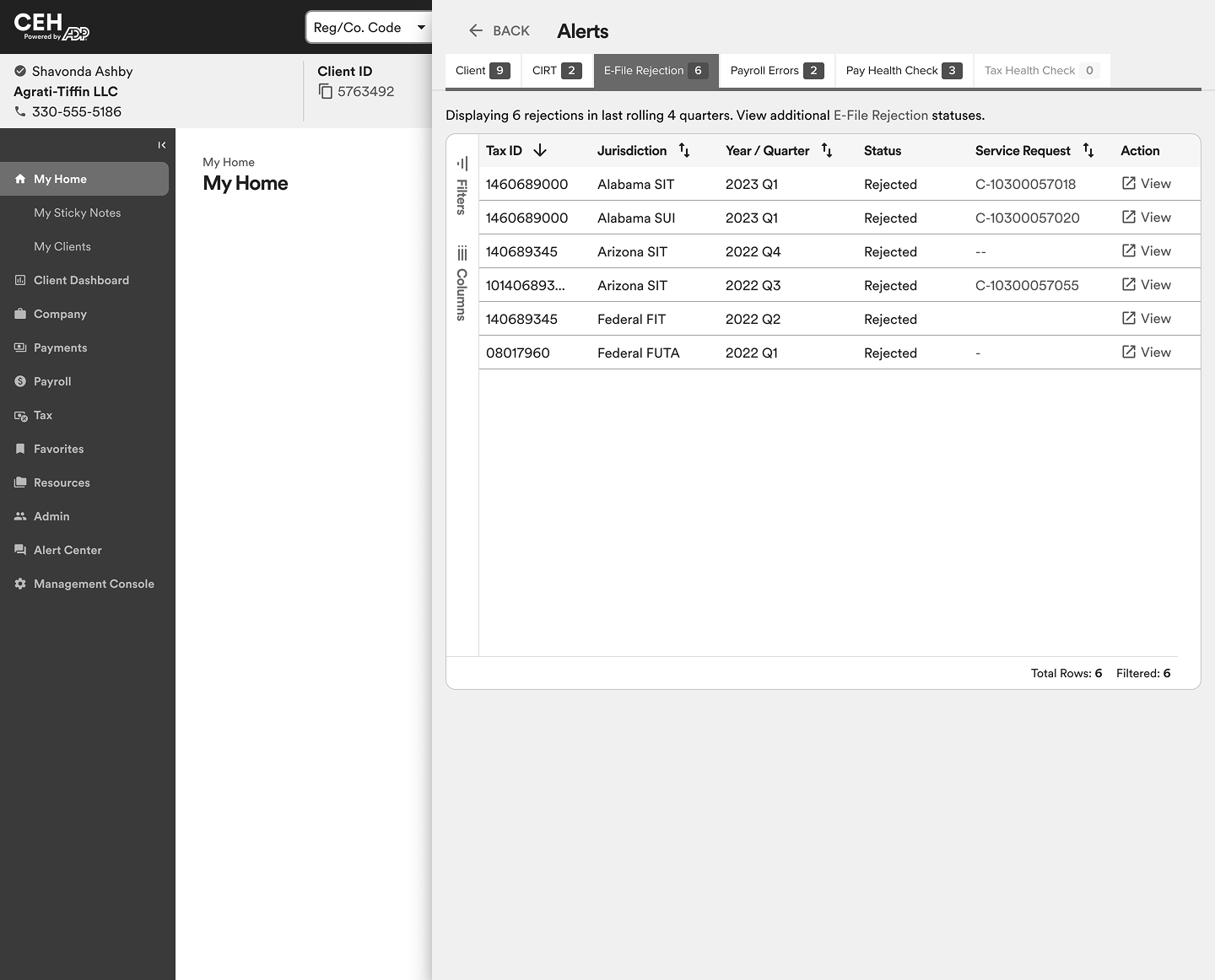
Not every design concept can be implemented. One example was my idea for push alerts that would notify CSRs of rejected filings as soon as they loaded a client’s account. Stakeholders were enthusiastic about the potential to make CSRs more proactive. However, the SoR team raised performance concerns that rendered the feature unfeasible in the short term.
Instead of abandoning the idea entirely, I collaborated with my product owner to submit it to the SmartCompliance ideaboard. Our goal was to leverage future API developments in their product.
This decision-making process—balancing immediate feasibility with a long-term vision — was fundamental to our service design approach. It ensured that our work had an impact now while also paving the way for future improvements.
Result
Design Solution
Centralized Rejects Panel
The final design introduced a unified panel within the CRM where CSRs could see all E-file rejects in one place. This eliminated the need to jump across multiple systems, bringing error codes, explanations, and resolution steps into a single, streamlined experience.
Differentiation & Clarity
The design also accounted for different filing types, clearly distinguishing between originals and amendments as well as resubmittable and non-resubmittable rejects. This detail helped CSRs guide clients with greater accuracy and confidence.
Timeline View
To address repeated rejections, the solution included a timeline component that displayed the history of submissions, rejections, and resubmissions. This gave CSRs much-needed context, enabling them to see whether an issue had been addressed before and how it had evolved over time.
Business Impact
Quantitative Metrics
The solution was adopted by more than 4,000 CSRs across seven business units. Within one year after the first release, it supported the resolution of 25,000 filings, proving its value at scale.
Qualitative Outcomes
CSRs no longer needed to navigate four different systems. With everything consolidated into a single screen, they saved significant time and effort, and were better equipped to explain next steps to clients. The clarity of workflows and error explanations increased CSR confidence, reducing stress and uncertainty during client interactions.